Table of contents
Table of contents
How to build a B2B customer journey map that drives real decisions
Summary
In this guide, you'll learn:
- What makes B2B customer journeys different from B2C (and why it matters)
- The 7 essential stages every B2B buyer moves through
- A step-by-step framework for creating journey maps that teams actually use
- How AI accelerates research synthesis from days to minutes
- Real success story: How Medibank cut innovation cycles by 75% using collaborative journey mapping
- Common mistakes that make journey maps fail (and how to avoid them)
- How to measure the impact of your journey improvements
B2B Customer journey explained
Here’s the problem: 77% of B2B buyers say making a purchase is complicated and time-consuming, according to Gartner. Yet most customer journey maps end up as slide 47 in a deck nobody opens.
Journey mapping can work, but most teams see it as just documentation instead of a way to collaborate. Teams spend weeks collecting insights, make a polished map, present it, and then nothing changes.
Imagine if your journey map was different—a shared workspace where teams find pain points together, set priorities, and connect improvements directly to your product roadmap. AI could help organize customer insights in minutes, not days.
This guide will help you build a B2B customer journey map that your team actually uses to make decisions and deliver improvements quickly.
What is a B2B Customer Journey Map?
A B2B customer journey map shows every interaction a business has with your company—from the moment they identify a problem to when they renew and recommend you to others.
Unlike quick consumer purchases, B2B journeys take months and involve several decision-makers. For example, an IT director may review your product, but also needs support from the CFO, approval from the CTO, and interest from the product managers who will use it every day.
Your journey map should reflect all this complexity.
B2B vs. B2C: What’s Different?
B2B vs. B2C: What's Different?
Aspect | B2B Journey | B2C Journey |
Decision makers | Multiple stakeholders (buying committee) | Usually one person |
Timeline | Months to years | Minutes to days |
Transaction value | $10K to millions | $10 to thousands |
Post-purchase | Ongoing partnership, renewals | Often transactional |
Touchpoints | Demos, proposals, onboarding, QBRs | Ads, website, checkout, support |
Risk tolerance | Lower—bad decisions affect entire teams | Higher—easier to switch |
Why most B2B journey maps fail (and how to fix it)
Before we get into the how-to, let’s address what doesn’t work:
Mapping in isolation. When one person or team creates the journey map alone, it reflects their assumptions, not reality. The marketing team thinks awareness is the biggest challenge. Sales believes it’s pricing objections. Customer success sees onboarding friction. Nobody’s wrong—they’re just seeing different parts of the same journey.
Relying on assumptions instead of research. “I think customers feel frustrated here” is very different from “87% of customers mention confusion in post-demo surveys.”
Creating static PDFs. Journey maps that live in slide decks can’t evolve with your customers. And they definitely can’t drive cross-functional action when nobody can find the latest version.
Forgetting post-purchase stages. The journey doesn’t end at “Closed Won.” In B2B, the real relationship starts after purchase—onboarding, adoption, expansion, renewal, and advocacy all shape whether customers succeed with your product.
The fix? Treat journey mapping as ongoing collaboration, not a one-time project. Use a visual workspace where everyone contributes, AI helps identify patterns, and improvements link directly to execution.
The 7 essential stages of a B2B customer journey
Every B2B buyer moves through predictable stages, though not always linearly. Here’s what happens at each stage, the common touchpoints, and what teams should focus on.
1. Awareness
Your customer identifies a problem or opportunity. Maybe their current process is breaking down, or a competitor just launched something that makes them look behind.
Key touchpoints: Industry publications, LinkedIn, conference talks, peer recommendations, organic search
What matters: Help buyers understand the problem clearly before pushing your solution. Educational content wins here.
2. Consideration
Now they’re researching solutions. They’re comparing approaches (build vs. buy), reading analyst reports, and checking review sites like G2 or Capterra.
Key touchpoints: Product comparison pages, case studies, webinars, analyst reports, demo videos
What matters: Show specific use cases that match their situation. Generic “enterprise solution” messaging gets ignored.
3. Evaluation
They’re talking to you and 2-3 competitors. Buying committees are forming. Technical evaluations begin. Budget conversations get real.
Key touchpoints: Product demos, technical documentation, security reviews, pricing discussions, proof-of-concept trials
What matters: Tackle concerns early. If security is critical, highlight your compliance certifications. Help your champions look good to their teams.
4. Decision
The committee makes a choice. Contracts are negotiated. Procurement gets involved. Legal reviews terms.
Key touchpoints: Proposal presentations, contract negotiations, executive sponsor calls, implementation planning
What matters: Make buying easy. Unclear pricing or slow contract turnaround loses deals at the finish line.
5. Onboarding
Your customer is setting up your product, training their team, and integrating with existing tools. First impressions matter enormously here.
Key touchpoints: Implementation calls, training sessions, technical setup, data migration, success planning
What matters: Get them to value fast. Every week of delayed value creation increases churn risk.
6. Adoption & Expansion
Teams are using your product. They’re discovering new use cases. Usage patterns stabilize. Upsell opportunities emerge.
Key touchpoints: Product usage, feature discovery, support tickets, customer health check-ins, quarterly business reviews
What matters: Proactive success management. Don’t wait for problems—help customers maximize value before they ask.
7. Renewal & Advocacy
Contract renewal decisions happen here. Happy customers become references, write case studies, and refer others.
Key touchpoints: Renewal conversations, reference requests, review site ratings, customer advisory boards, referral programs
What matters: Build renewal confidence continuously, not just 90 days before the contract ends.
How to create a B2B customer journey map: Step-by-step
Step 1: Set clear objectives
Start with specifics, not vague goals like “understand customers better.”
Ask yourself:
- What specific problem are we trying to solve? (Example: 60% of trials don’t complete onboarding)
- Which journey stage needs the most improvement?
- What metrics will tell us we’ve succeeded? (Example: reduce time-to-value from 45 days to 21 days)
If you’re new to journey mapping, focus on one critical stage first. Once your team sees results, expand to other stages.
Step 2: Define your buyer personas
In B2B, you’re not mapping one persona—you’re mapping a buying committee.
For each persona, document:
- Role and seniority: IT Director, Product Manager, CFO
- Goals: What does success look like for them?
- Pain points: What keeps them from achieving goals?
- Decision criteria: What influences their choices?
- Relationship to product: Daily user? Budget approver? Neither?
Create a visual showing how personas influence each other. Does the Product Manager champion the solution to the IT Director? Does the CFO only get involved for final approval? Try our B2B persona template.
Step 3: Gather customer research
Journey maps based on guesses don’t hold up in practice. You need real data.
Qualitative sources:
- Customer interviews (especially recent buyers and churned customers)
- Sales call recordings
- Support ticket themes
- Onboarding session notes
- Win/loss interview insights
Quantitative sources:
- CRM data (time in each stage, conversion rates)
- Product usage analytics
- Website behavior (what pages do prospects visit most?)
- Support ticket volume by topic
- Survey responses
Miro’s AI features can turn your research into organized insights. Upload interview transcripts, customer feedback, and notes. AI will find patterns and themes automatically, saving your team hours of manual work.
Step 4: Map every touchpoint
List every interaction customers have with your company. Include obvious ones (sales demos, onboarding calls) and often-forgotten ones (G2 reviews, conversations with your other customers, investor analyst coverage).
Group touchpoints by journey stage. Then ask:
- Which touchpoints are working well?
- Where do customers stall or drop off?
- Are any touchpoints missing entirely?
One product team discovered their biggest gap wasn’t a broken touchpoint—it was a missing one. Customers had no way to see ROI 30 days after onboarding, so they couldn’t build internal momentum for expansion.
Step 5: Capture customer emotions
Go beyond what customers do to understand what they feel.
At the Evaluation stage, many feel overwhelmed. They’re comparing multiple vendors while doing their regular job. Help them by providing clear comparison guides instead of sales pressure.
At the Onboarding stage, they often feel anxious. Did we make the right choice? Will this be worth the implementation effort? Quick wins and clear progress indicators ease these concerns.
Create an emotion curve showing emotional highs and lows across the journey. These valleys are your biggest opportunities for improvement.
Step 6: Collaborate cross-functionally
Here’s where most journey mapping breaks down. One team builds the map, presents it to others, collects feedback, updates it, presents again… weeks pass.
Visual collaboration changes this. Get marketing, sales, product, and customer success in the same workspace—literally or virtually. Everyone sees the same journey map, adds their insights simultaneously, and votes on priorities together.
When Medibank’s Digital Labs team tackled a major website redesign, they used Miro to capture insights from 80+ stakeholders across the enterprise. Instead of sequential review cycles, senior executives provided input in real-time collaborative sessions. What would have taken six months of coordination took six weeks.
Miro’s AI clustering helps synthesize diverse input automatically. Instead of manually sorting hundreds of sticky notes into themes, AI identifies patterns and groups related feedback while your team validates and refines the results.
Step 7: Identify opportunities & assign ownership
Pain points are interesting. Opportunities linked to owners with timelines are valuable.
For each significant pain point:
- Define the improvement opportunity
- Estimate impact (high/medium/low)
- Estimate effort (high/medium/low)
- Assign an owner
- Set a timeline
- Define success metrics
Link these opportunities to your project management system. Miro integrates with Jira, Asana, and Azure DevOps, so improvements flow directly into sprint planning.
Real success: How Medibank cut innovation cycles by 75%
Medibank, Australia’s largest health insurer, faced a challenge many B2B companies know well: complex initiatives requiring input from numerous stakeholders across multiple business units.
The challenge
Their Digital Labs team was tackling concept development that could take up to six months. Knowledge lived in PowerPoint, Excel, Jira, and Confluence—scattered insights that made alignment difficult. When you need input from 80+ stakeholders, many of them senior executives with competing priorities, traditional approaches don’t scale.
The approach
The team used Miro to collect over 140 pain points and many use cases in one shared workspace. Instead of starting meetings from scratch, executives could see everything right away and set priorities in real time.
But the real transformation happened when AI-powered workflows entered the equation.
“With AI-powered clustering, tagging and summarizing, it’s now a click-and-validate process,” explains Ben Abbott, Product Leader at Medibank Digital Labs. “Our teams can shift from admin to insight, and use that time for deeper thinking.”
Tasks that previously took entire days—like organizing and categorizing stakeholder feedback—became validation exercises. Teams could focus on strategy instead of administrative work.
AI-generated solution opportunity trees helped teams surface blind spots and explore possibilities they might have missed. Far from replacing human insight, AI augmented strategic thinking and sparked fresh ideas during collaborative sessions.
The results
What stakeholders initially scoped as “a really fun six-month project” achieved stakeholder alignment and a clear prototype vision in just six weeks—a 75% reduction in cycle time.
But speed was only part of the story. Real-time co-creation meant issues were identified and resolved immediately, not discovered weeks later after development had started. The collaborative approach eliminated traditional back-and-forth cycles entirely.
“When everyone’s solving the same problem, in the same space, at the same time—that’s when the magic happens,” says Abbott. “That’s how six weeks becomes not just possible, but repeatable.”
Common B2B journey mapping mistakes
Even with the best intentions, teams make predictable mistakes. Here’s how to avoid them:
Mapping too many personas at once. Start with your most important customer segment. Create separate maps for significantly different buyer types. A mid-market SaaS buyer and an enterprise buyer take different journeys.
Making it too generic. “Customers research our solution” doesn’t help anyone. “Mid-market IT directors spend 3-5 weeks comparing 4-6 vendors, primarily using G2 reviews and peer recommendations” gives teams something actionable.
Treating it as a one-time project. Customer behavior evolves. New competitors emerge. Product capabilities expand. Revisit your journey map quarterly at minimum. Make updates whenever you see new patterns.
Forgetting to measure impact. If you can’t track whether improvements worked, you can’t learn what to prioritize next. Always define success metrics before implementing changes.
Building it without customers. Interview recent buyers. Talk to churned customers. Survey users at different stages. Assumption-based journey maps rarely survive contact with reality.
B2B Customer Journey Mapping in Miro
Visual collaboration transforms how teams build and use journey maps. Teams across industries rely on Miro for this critical work:
"Miro is one of the core instruments of our product design prototyping, customer journey & workflow mapping work. The tool is always improving in terms of capabilities and stability. Some of the recent upgrades (AI-functionality) have been very useful in the process mapping work."
— Senior Technical Project Manager, Gartner Peer Insights
Here's what the process looks like in practice:
1. Choose the right template
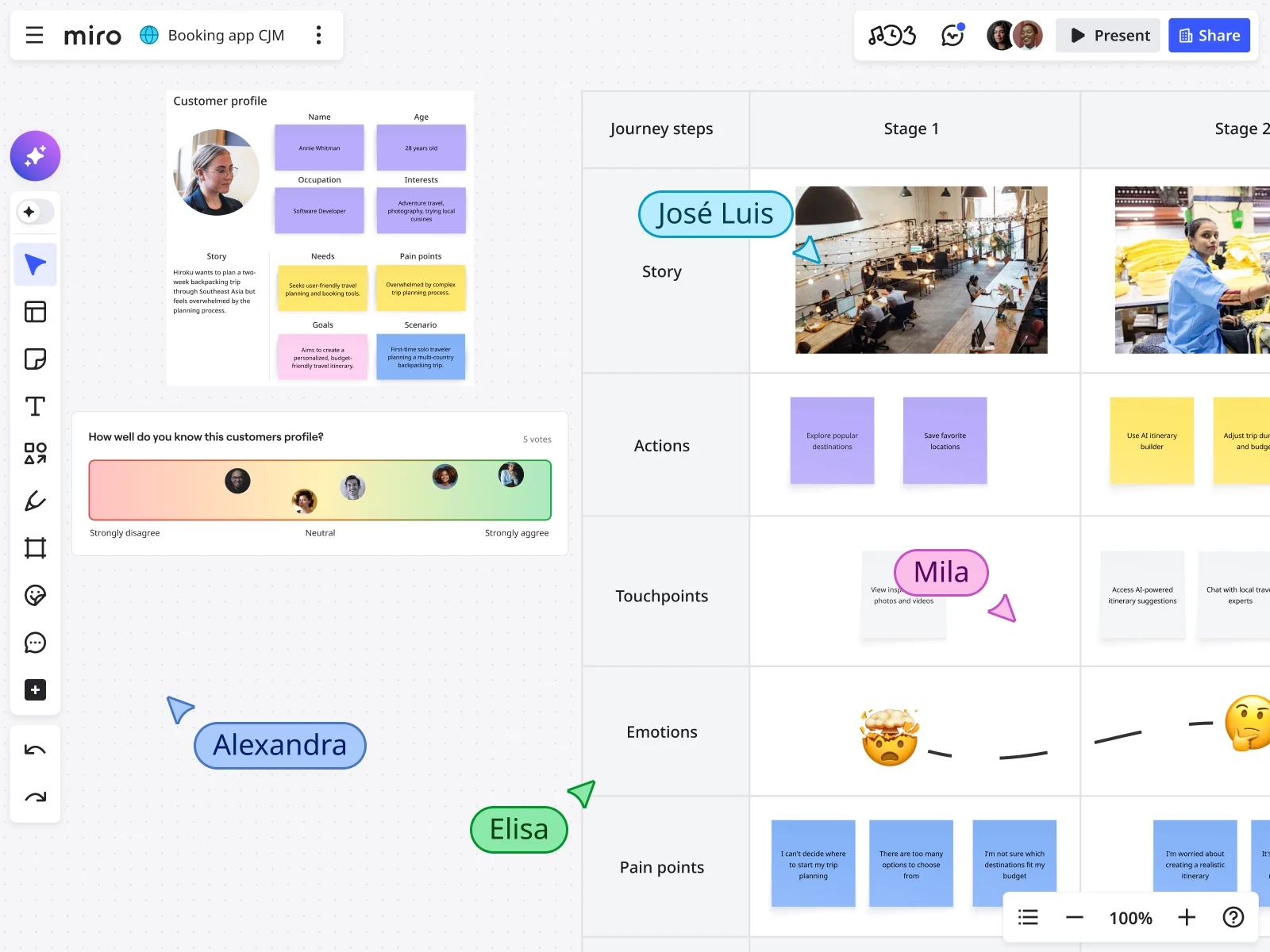
Start with Miro’s B2B Customer Journey Map template, which includes sections for journey stages, touchpoints, customer emotions, pain points, and opportunities. Customize it to match your specific business model.
2. Import your research
Upload customer interview transcripts, survey responses, and support data directly to your board. Add screenshots, quotes, analytics dashboards—everything your team needs to see the full picture.
Use Miro AI to process this research automatically. It identifies patterns across sources, surfaces key themes, and organizes insights by journey stage—work that would take days happens in minutes.
3. Collaborate in real-time or async
Invite stakeholders from across the company. Set up live journey mapping workshops for real-time collaboration, or let distributed teammates contribute on their own schedule. Comments, sticky notes, and voting features help teams align on priorities without endless meeting cycles.
4. Synthesize with AI
After your team brainstorms pain points and opportunities, use AI clustering to automatically group related ideas. AI identifies themes you might miss and suggests solution frameworks to spark new thinking.
AI-generated summaries transform your working board into polished documents ready for executive presentations—no manual reformatting required.
5. Link to execution
Connect identified opportunities directly to your project management tools. Create Jira tickets for high-priority improvements. Sync with Confluence for documentation. Track progress on Kanban boards within the same workspace.
Your journey map becomes the command center where research insights drive real product decisions.
Measuring journey map impact
Journey mapping should change how you work. Here’s how to prove it’s working:
Journey-specific metrics:
- Time to close (sales cycle length)
- Conversion rates between stages
- Onboarding completion rate
- Time to first value
- Feature adoption rates
- Renewal rate
- Customer health scores
Business impact metrics:
- Revenue from identified opportunities
- Customer acquisition cost changes
- Support ticket reduction
- Customer lifetime value increase
- Net Promoter Score improvement
Track your metrics before and after making journey improvements. For example, if you improve onboarding, you should see faster time-to-value and higher adoption rates within 60 to 90 days.
Hold regular journey map reviews to ask: What did we learn? What got better? What should we focus on next?
B2B Customer journey FAQs
How is B2B customer journey mapping different from B2C?
B2B journeys involve multiple decision-makers (buying committees), take much longer (months vs. days), and continue well beyond purchase into onboarding, adoption, expansion, and renewal. B2C journeys are typically simpler, faster, and end at purchase or initial support.
How long does it take to create a B2B customer journey map?
You can complete an initial map focused on one persona and stage in 1-2 weeks with good research and teamwork. But journey mapping isn’t a one-time task. Plan to update it every quarter and keep refining as you learn from customers and make improvements.
Who should be involved in journey mapping?
Include representatives from every team that touches customers: sales, marketing, product, customer success, support, and implementation. Get input from executives for strategic alignment and frontline teams for operational reality. Most importantly, involve actual customers through interviews and feedback sessions.
What tools do I need for B2B journey mapping?
You need three things: a collaborative visual workspace (like Miro) where teams can map together, access to customer data (CRM, product analytics, support tickets), and research tools (interview platforms, survey tools). AI capabilities help synthesize research and identify patterns faster.
How often should we update our customer journey map?
Review your journey map at least every quarter. Update it right away if you notice important changes, like new sales objections or drop-offs in a stage. Your journey map should keep evolving as you learn from customers and as the market shifts.
Can small B2B companies benefit from journey mapping?
Absolutely. Smaller companies often have advantages: direct customer access, faster decision-making, and fewer organizational silos to navigate. Start simple with one critical journey stage, gather insights, make improvements, and expand from there.
How do we handle multiple buyer personas on one map?
Make separate journey maps for very different persona types, like SMB buyers and enterprise buyers. For personas in the same buying committee, show their roles and touchpoints on one map, using clear visuals to highlight each role.
Turn customer insights into action
Teams that create great B2B experiences don’t wait for perfect data or long research projects. They map what they know, work together across teams, and improve touchpoints quickly.
Your customers are already on a journey. The real question is whether you’re working to improve it or letting obstacles slow them down.
Begin with one important stage. Collect real customer insights. Bring your cross-functional team together in one workspace. Use AI to spot patterns quickly. Connect improvements to action and measure the results.
The journey map that makes a difference isn’t the fanciest one. It’s the map your team uses every week to understand customers and make improvements.
Ready to get started? Grab Miro’s free B2B Customer Journey Map template and start mapping your customer experience today. Or watch how Medibank compressed their innovation cycle from six months to six weeks using collaborative journey mapping.
Author: The Miro team Last updated: January 13, 2026
Read more
Join our 100M+ users today


