Turn code into clear diagrams with Miro’s Mermaid editor



















A Mermaid diagram editor anyone can use
Why Miro is the best online Mermaid editor
Automated diagramming
Manually formatting Mermaid diagrams eats up time and invites errors. Build Mermaid diagrams online and let Miro render the syntax automatically, or point an AI agent at your codebase and let our Mermaid diagram generator handle it for you. Start from scratch, or save time with a sample diagram and edit from there.
Built for collaboration
Reviewing code alone slows teams down. Miro turns Mermaid diagramming into something your whole team can work on together, in real time or async. Invite others to edit your board, view and leave feedback, or tag colleagues in comments right on the canvas, so the diagram stays a living document instead of a static file.
Connects with the tools you already use
Switching tools breaks concentration and version control. Miro's Mermaid diagram editor connects with over 160 apps and tools, so you can bring in code or content from GitHub, Notion, Confluence, and more. Import Mermaid code directly, and export diagrams to the tools your team relies on.
Keep diagrams in context, not in isolation
A diagram that lives by itself loses the "why" behind it. On a Miro board, your Mermaid diagrams sit alongside the requirements, research, and roadmap that explain the decisions behind them, so anyone reviewing the diagram gets the full picture without leaving the board.
Diagram faster with AI
Turning logic into structure takes time. Point Claude Code, Claude Cowork, Codex, Cursor, or whichever agent you use at your code, requirements, or notes, and get a diagram back through MCP. Once it's on the board, agents can read it back through MCP to update your code, so the round trip goes both ways.
Maintain accuracy as you scale
As your system grows, keeping diagrams accurate gets harder. Miro's version history and diagram layers give you a complete view of changes over time. Track updates, restore previous versions, and keep a single source of truth for your architecture, even as diagrams grow to hundreds of nodes across multiple projects and teams.
Integrated with your favorite tools
Related templates
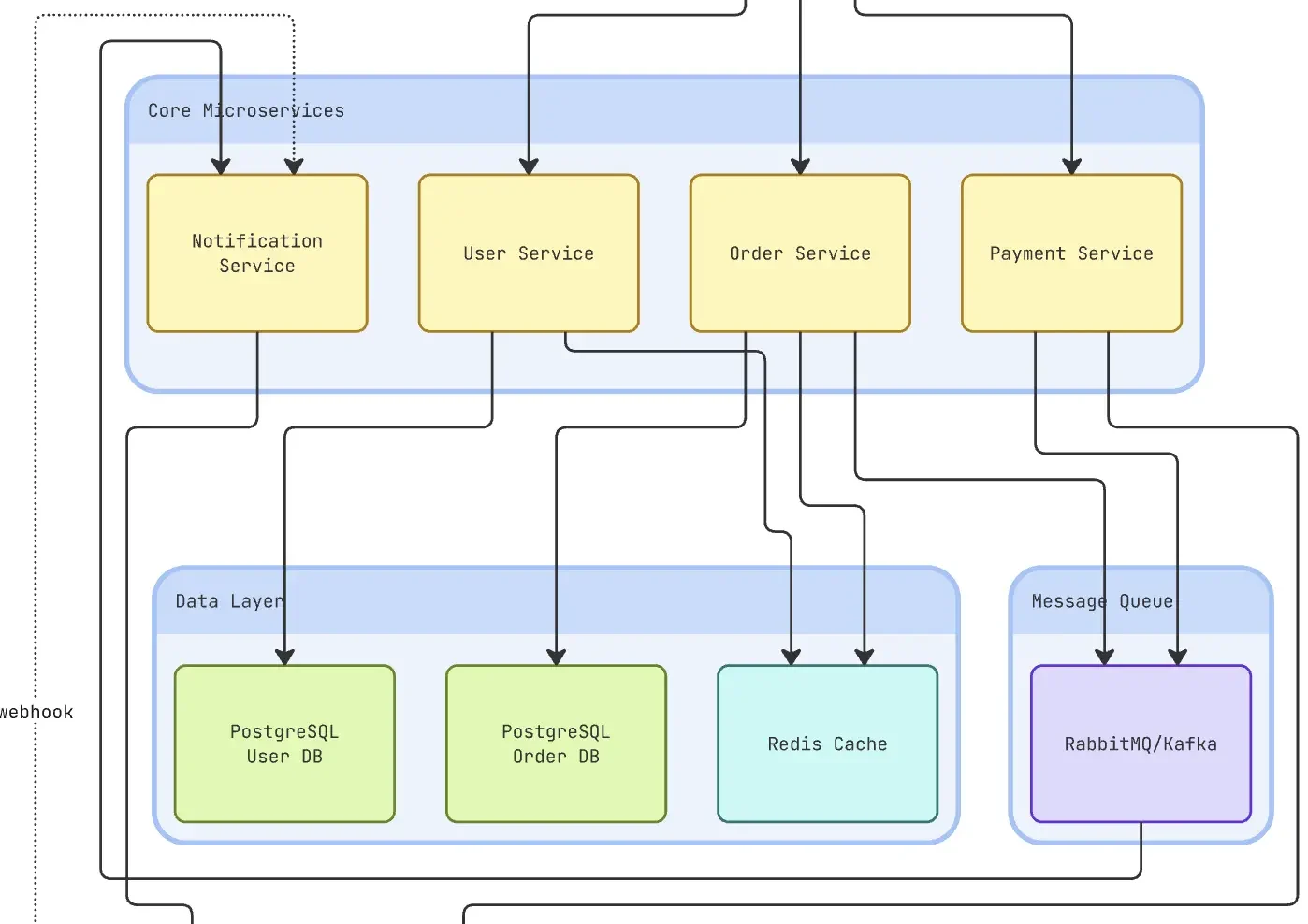
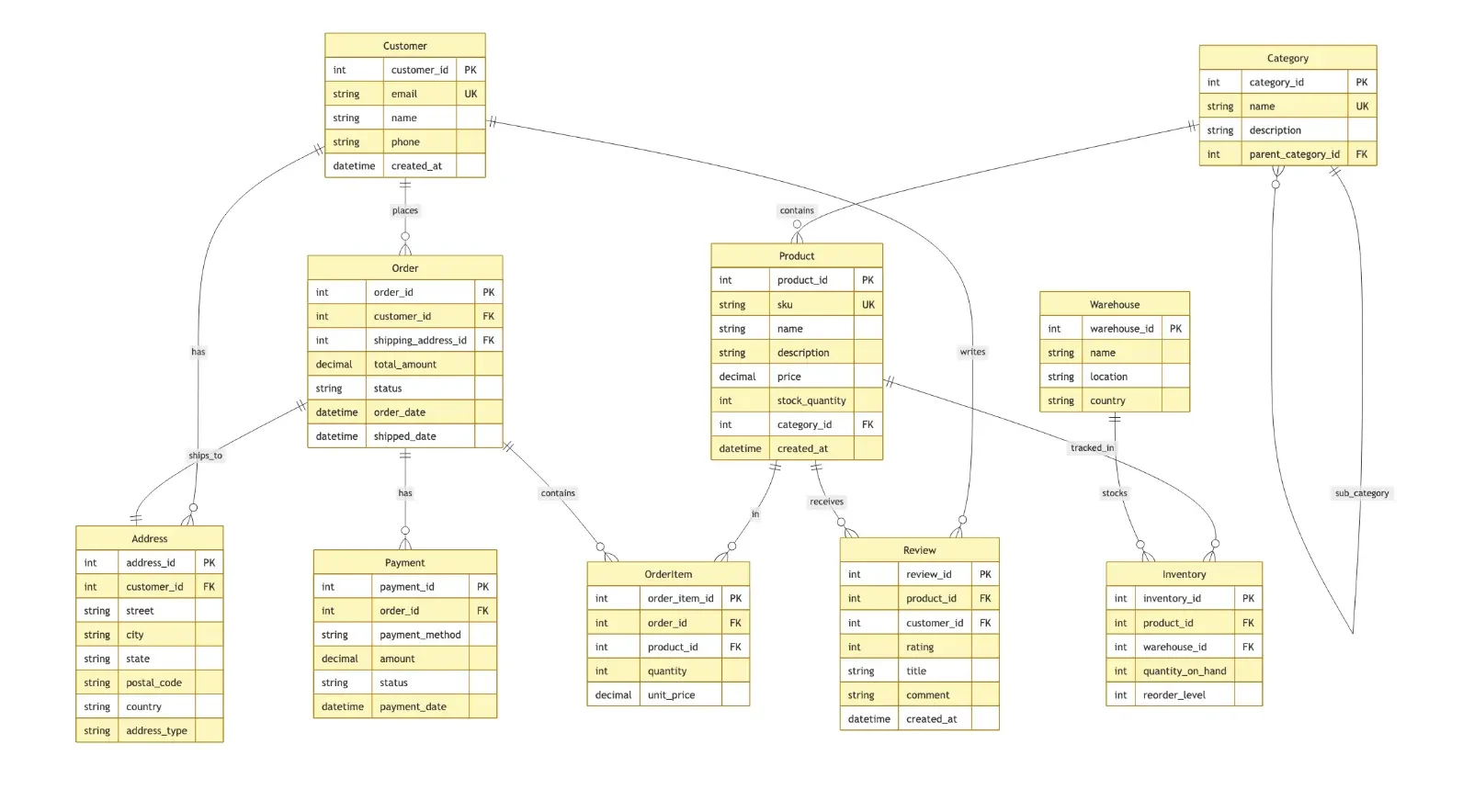
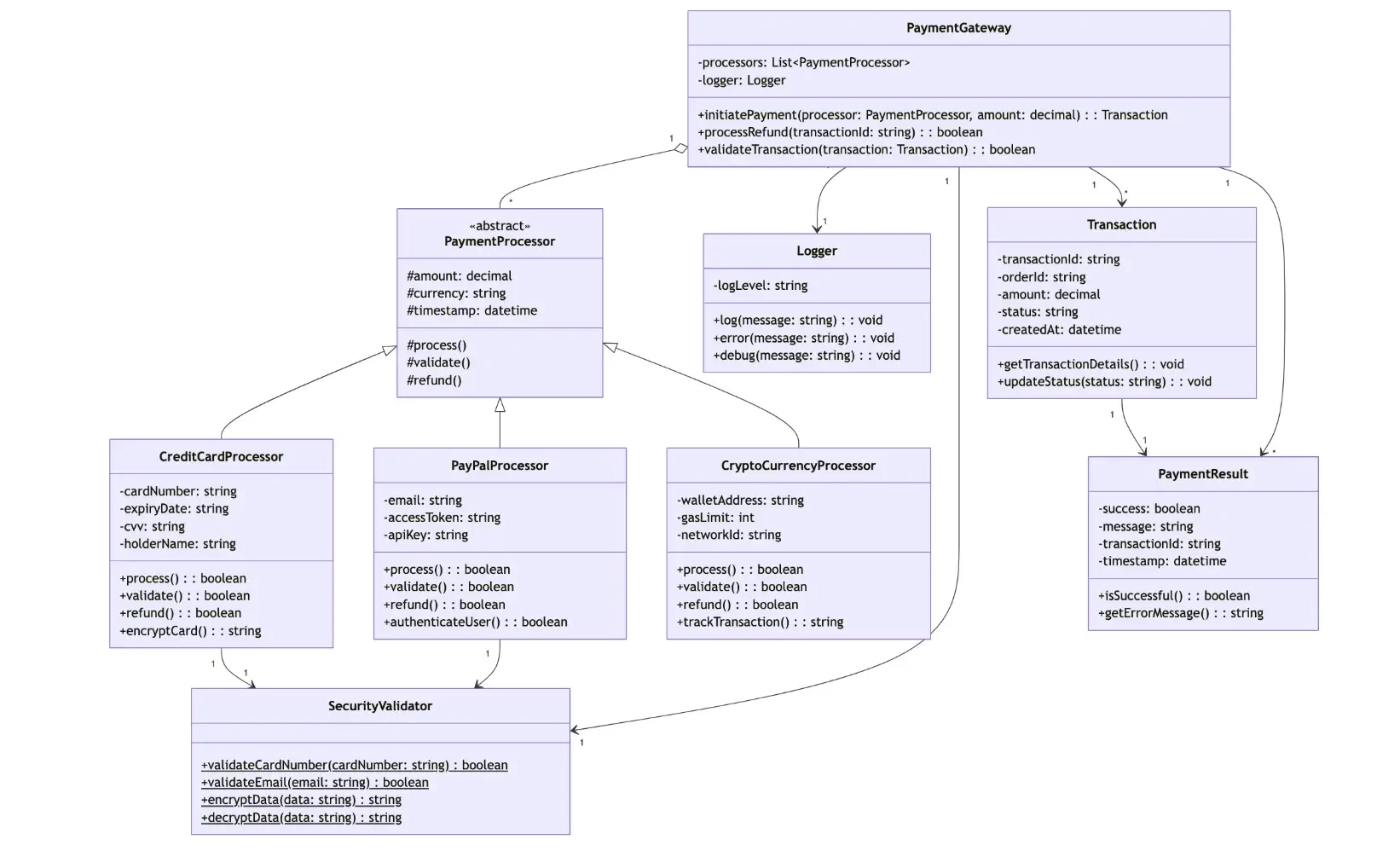
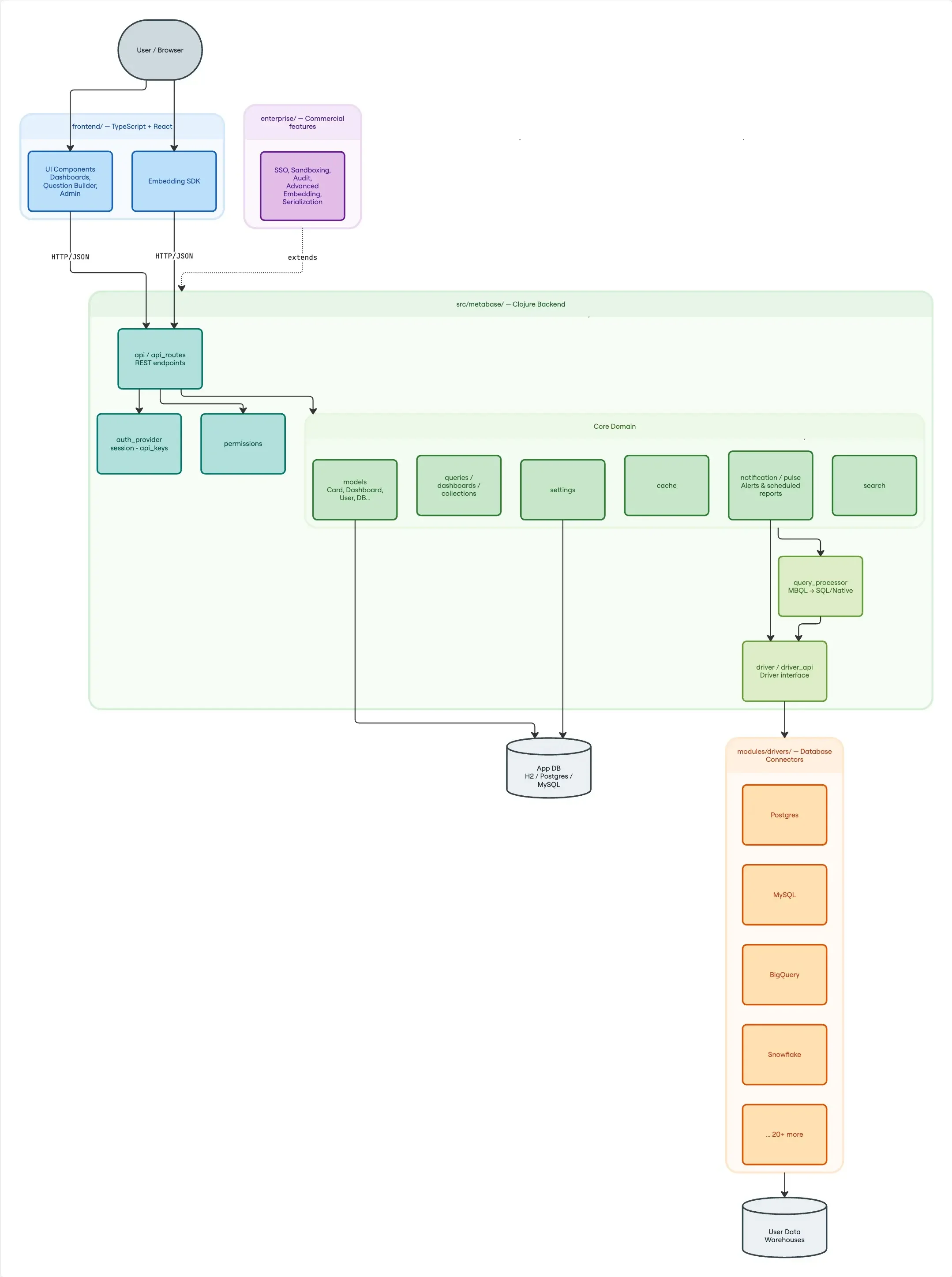
What is a Mermaid Diagram?
How to create a Mermaid diagram online with Miro
Start by creating a new board, then start a new diagram and choose "Begin with code" from the cold start options. This opens Miro's online Mermaid diagram tool directly, no separate marketplace app required. You can also generate a diagram straight from your code using Claude Code, Cursor, or your agent of choice through MCP, moving from raw code to a diagram in seconds.
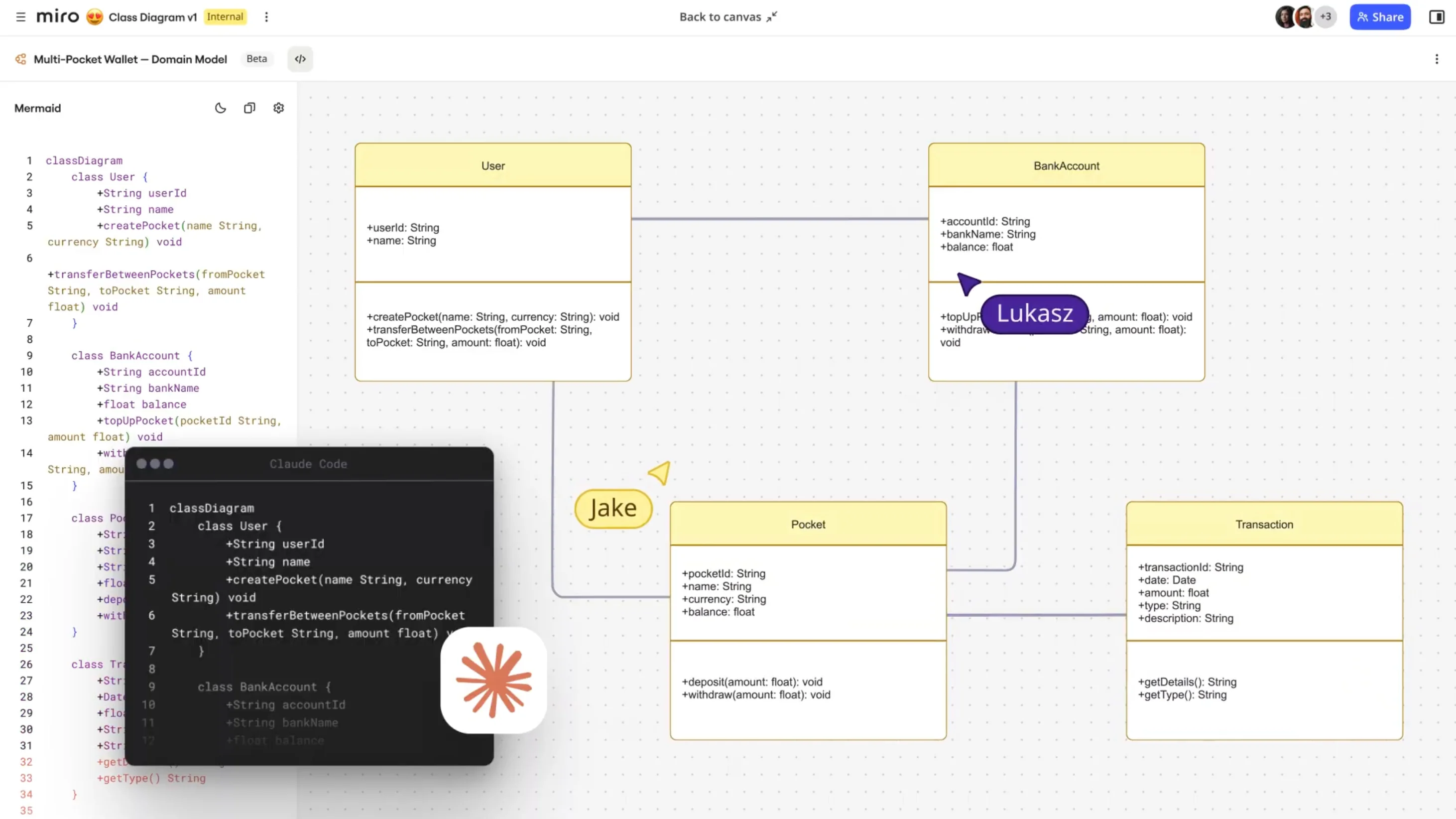
To save time, explore the sample diagrams built into Miro's online Mermaid editor. Pick a starting point, whether it's a flowchart, an ER diagram, or something else, so you're not writing complex syntax from scratch. It's an easy on-ramp for beginners, without holding back advanced users who want to dive straight into code.
Inside the Mermaid editor, you'll see the code behind your chosen diagram. Replace it with your own syntax to customize shapes, relationships, and content, and the diagram updates automatically as you type. For Flowchart, Sequence, Class, and ER diagrams, you can also edit visually, moving shapes or adjusting text, with the code updating to match.
Once you've finished building your Mermaid diagram online, click "Add to board" to bring it into your board. Connect it to other visuals like sticky notes, user flows, or roadmaps for full context. Share the board with teammates, tag them in comments, or use Talktrack to walk through the diagram step by step. Feedback happens in real time or async, so it keeps evolving with input from everyone involved. When you're ready to close the loop, export the Mermaid syntax, or let an agent read your Mermaid diagrams back through MCP to update your code.
Discover Miro's capabilities

The world's most innovative companies are collaborating in Miro, everyday
“With Miro, we went from project brief to in-market launch in 10 months. That usually takes 3 years at PepsiCo.”
Caroline de Diego
Senior Manager, Global Design & Marketing Innovation at PepsiCo


“Bringing everyone together to plan in Miro means the most impactful initiatives will happen at the right time.”
Lucy Starling
Product Operations Lead at Asos


“The team onboarded in 10 minutes to use Miro for workshops. Getting our organization to adopt this product was a no-brainer.”
Konrad Grzegory
Agile Transformation Lead at CD PROJEKT RED


“Miro templates helped us go from scratch to a full-fledged plan where we mapped activities, ideas, and dependencies.”
Marc Zukerman
Senior Director of Project Management at Hearst


“Miro allows all our teams to align themselves with certain tools and models: they work independently and create products that really meet our customers' needs.”
Luke Pittar
Sustainability Innovation & Design Coach at The Warehouse Group


“To be truly innovative, everyone needs to have a voice, and everyone needs to be able to iterate on each other’s ideas. Miro has made that possible for us.”
Brian Chiccotelli
Learning Experience Designer at HP


Users love Miro for end-to-end innovation. We're the G2 leader in visual collaboration platforms and are rated in the top 50 enterprise tools. Miro helps large companies get meaningful work done.
Top 50 Products for Enterprise
G2 reviews


Mermaid diagram editor FAQs

Can I use other text-based code to build diagrams in Miro?
Yes. Alongside Mermaid, you can build diagrams using PlantUML. Head to the toolbar on your board, click "More apps," and select the app you want.
What types of diagrams can I build in Miro?
Miro's diagramming tool supports a wide range of diagrams, from flowcharts to UML diagrams and more. Flowchart, Sequence, Class, and ER diagrams all render as native Miro shapes and support visual editing, with changes reflected back in the code.
How does Miro help my team collaborate on Mermaid diagrams?
Everyone builds Mermaid diagrams online, together, on the same board, instead of passing Markdown files back and forth. Edit syntax, leave comments, or use Talktrack to explain your logic. Real-time and async support means developers, analysts, and stakeholders can review any of the types of Mermaid diagrams you've built and align without needing to be online at the same time.
Are there resources or templates available from the community?
Yes, the Miroverse is our community-driven library, where thousands of resources are available to help you get started. You can explore how other teams use Miro for code-based diagramming, adapt their workflows, and avoid starting from scratch. Plus, the Miro Forum gives you a space to share tips, explore feature requests, and connect with others using Miro.
Can AI agents generate and update my diagrams?
Yes. Use Claude Code, Claude Cowork, Codex, Cursor, or your agent of choice via MCP to generate a diagram from your code or requirements. Once it's in Miro, agents can also read the diagram back through MCP to update your codebase, a full round trip rather than a one-way export.
What’s the learning curve for teams new to Miro AI?
Minimal. Miro AI is designed to be intuitive, so you don’t need to worry about complex prompts. Simply highlight code snippets, sticky notes, or brainstormed ideas and let AI cluster, summarize, and convert them into draft diagrams.
How much does it cost to use Miro AI features?
Miro AI is available on all plans through a flexible credit system - from Free to Enterprise. Each AI action uses one credit, and the number of credits varies by plan. Credits are applicable across all AI features, including generating diagrams, summarizing content, and automating workflows. You can also buy additional credit bundles to match your team’s diagramming and collaboration needs.
Can Miro handle large and complex Mermaid diagramming projects?
Yes. Mermaid code supports up to 30,000 lines, and diagrams handle hundreds of nodes, tested past 500 in complex flowcharts, without slowing down. There's no hard limit on how many Mermaid diagrams you can have on a board.
Can I customize Miro to fit my team’s Mermaid diagram workflow?
Yes. Create custom templates, adjust fields, or use Blueprints to scale standardized workflows across teams. AI shortcuts can also automate repetitive tasks, like turning text notes into a structured Mermaid flowchart.
How does Miro integrate with the tools I already use?
Miro integrates with over 160 tools, including GitHub, Confluence, and Notion. Copy Mermaid code directly into your board, embed your online Mermaid diagrams into documentation, or link them to tickets in Jira, so your diagrams stay part of your team's actual workflow instead of living in isolation.
How secure is my diagramming work in Miro?
Miro is built with enterprise-grade security to protect your work. You can control who has access to view or edit your diagrams with advanced permissions, and your data is never used to train external AI models. All AI processing happens securely within Miro’s infrastructure, too, so you can collaborate with confidence.
How is Miro different from tools like Lucidchart, mermaid.live, or Eraser?
Most Mermaid tools make you pick one or the other: full syntax support or real collaboration. Miro gives you both. You get full Mermaid support (not a stripped-down version), native shapes for Flowchart, Sequence, Class, and ER diagrams, AI generation and round-trip editing through MCP, and a board where the diagram sits next to the requirements and context behind it, not off on its own.
Can I import diagrams I've already built in another tool?
If the other tool can export Mermaid syntax, paste it directly onto a Miro board and it renders like any other Mermaid diagram. Automated migration from other tools isn't supported yet. If you're moving a large volume of diagrams, get in touch and we can help.